Why Do Eyes Burn While Using a Laptop? Common Causes and Prevention Tips
Medically reviewed by Dr. Nikhil Singh, Anaesthesia, MBBS, MD
Last reviewed: 24 Aug 2026 · How we review health content
Introduction
Do your eyes start burning, feeling irritated, or becoming uncomfortable after spending time on a laptop?
This is a common problem among office workers, students, gamers, and people who spend several hours daily in front of screens.
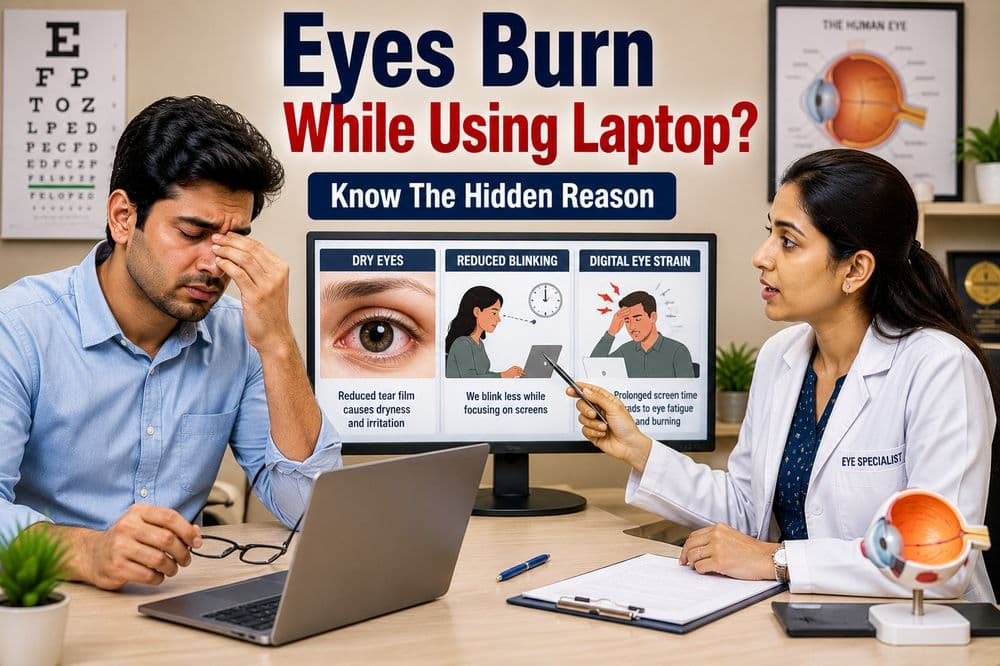
Burning eyes are often associated with Digital Eye Strain (Computer Vision Syndrome) and may develop due to prolonged screen exposure, reduced blinking, and dry eyes.
Understanding the causes can help reduce discomfort and protect long-term eye health.
Why Do Eyes Burn While Using a Laptop?
When using a laptop, the eyes work continuously to focus on text, images, and moving content.
Prolonged visual effort may lead to:
- Eye fatigue
- Dryness
- Irritation
- Burning sensation
- Temporary blurred vision
The longer the screen exposure, the greater the risk of symptoms.
Common Causes of Burning Eyes During Laptop Use
1. Reduced Blinking
People naturally blink less frequently while focusing on screens.
Blinking helps spread tears across the surface of the eyes.
Reduced blinking may lead to:
- Dry eyes
- Burning sensation
- Irritation
- Redness
2. Digital Eye Strain
Continuous laptop use can overwork the eye muscles.
Symptoms may include:
- Burning eyes
- Eye fatigue
- Headaches
- Blurred vision
- Heavy eyes
3. Dry Eye Syndrome
Dry eyes occur when the eyes do not produce enough tears or when tears evaporate too quickly.
Laptop users may notice:
- Burning
- Itching
- Redness
- Gritty sensation
4. Screen Glare
Reflections and glare from screens may force the eyes to work harder.
This can increase visual discomfort and eye strain.
5. Incorrect Screen Distance
Keeping the laptop too close to the face may increase stress on the eye muscles.
6. Poor Lighting Conditions
Working in very bright or very dark environments may contribute to eye discomfort.
7. Long Hours Without Breaks
Extended screen sessions without rest may increase eye fatigue and irritation.
Symptoms That May Accompany Burning Eyes
People experiencing burning eyes may also notice:
- Dryness
- Redness
- Watery eyes
- Blurred vision
- Headaches
- Eye fatigue
- Sensitivity to light
- Difficulty focusing
Who Is Most at Risk?
Burning eyes are commonly seen in:
- Office workers
- Students
- Software professionals
- Gamers
- Remote workers
- Frequent laptop users
Anyone spending several hours daily in front of a screen may develop symptoms.
How Can You Prevent Burning Eyes?
Follow the 20-20-20 Rule
Every 20 minutes:
- Look 20 feet away
- For at least 20 seconds
This helps relax the eye muscles.
Blink More Often
Conscious blinking may help keep the eyes moist.
Maintain Proper Screen Distance
Keep the laptop at a comfortable viewing distance.
Reduce Screen Glare
Adjust screen brightness and avoid excessive reflections.
Use Proper Room Lighting
Balanced lighting helps reduce eye strain.
Take Regular Breaks
Short breaks throughout the day may significantly reduce symptoms.
When Should You See an Eye Doctor?
Consult an eye specialist if:
- Burning eyes occur frequently
- Symptoms persist despite rest
- Vision becomes blurry
- Eye pain develops
- Redness becomes severe
- Daily activities are affected
Persistent symptoms may indicate an underlying eye condition.
Can Laptop Use Permanently Damage Eyes?
Current evidence suggests that laptop use does not permanently damage eyesight in most people.
However, prolonged screen exposure can contribute to:
- Digital eye strain
- Dry eye symptoms
- Visual discomfort
Healthy screen habits remain important.
Conclusion
Burning eyes while using a laptop are commonly caused by digital eye strain, reduced blinking, dry eyes, glare, and prolonged screen use. Fortunately, simple measures such as regular breaks, proper lighting, and conscious blinking can significantly improve comfort.
If symptoms persist or become severe, consulting an eye specialist is recommended for proper evaluation and guidance.
Related reading
Top Anesthesiologist doctors in Gorakhpur on Zospital
Explore professional profiles and available appointment options.
- Book appointment

Dr Karanvir Singh Sidhu
Anesthesiologist
Lucknow
Verified•4.8 - Book appointment
Aveline Pascual Jerome, MD
Anesthesiologist
Ajmer
5 - Book appointment
Dr. Vivek Kumar Sharma - Laser & Advanced Laparoscopy Surgeon In Ajmer
Anesthesiologist
Ajmer
4.7 - Book appointment
Dr.Jay M. Panchal
Anesthesiologist
Ahmedabad
5 - Book appointment

Amit T. Darnule, MD
Anesthesiologist
Agra
4.9 - Book appointment
Dr Rajat Arora
Anesthesiologist
Agra
Have More Questions?
Find quick answers to common questions about our services, appointments, and patient care.
Burning eyes are often caused by digital eye strain and reduced blinking during screen use.
Yes. Reduced blinking while using screens may contribute to dryness.
It is a condition caused by prolonged screen exposure that leads to eye discomfort and fatigue.
Dry eyes may sometimes trigger excessive tear production as a protective response.
Yes. Glare may increase visual stress and eye discomfort.
Taking breaks, blinking frequently, and maintaining proper lighting may help.

“Your Health, Our Priority. Your Voice, Our Guide”
Dr. Nikhil Singh
Anaesthesia, MBBS, MD
Private hospitals in Gorakhpur on Zospital
Prefer a private option? These hospitals in Gorakhpur list their doctors and take bookings.
- Shankar Eye and Maternity Clinic- Best eye hospital | Best eye surgeon | Eye and Maternity clinic in Gorakhpur
- Trimurti Hospital - Dr. Sanjeev kumar Singh
- Shakuntala Hospital
Related Articles

Why Do Eyes Feel Dry After Using Mobile?
Dry eyes after mobile use are common due to reduced blinking and screen strain. Understanding causes helps prevent irritation and protect eye health

Why Do Eyes Feel Heavy After Screen Time? Causes, Symptoms and Prevention Tips
Heavy or tired eyes after screen use are commonly linked to digital eye strain. Learn the causes, symptoms, and practical ways to reduce screen-related eye fatigue.

Why Do Hands Tremble Without Any Reason?
Hand trembling without reason can be due to stress, कमजोरी, nerve issues, or medical conditions. Early evaluation helps prevent complications.

Written by Dr. Nikhil Singh
Anaesthesia, MBBS, MD
Last reviewed: 24 August 2026
Medical Disclaimer
The content provided on Zospital is for general informational and educational purposes only. It is not intended as a substitute for professional medical advice, diagnosis, or treatment. Always seek the advice of your physician or other qualified healthcare provider with any questions you may have regarding a medical condition. Never disregard professional medical advice or delay in seeking it because of something you have read on this website. If you think you may have a medical emergency, call your doctor or emergency services immediately.
Are you a doctor or run a clinic or hospital?
Patients across India are searching Zospital right now. Get a free profile with reviews, timings and direct WhatsApp bookings.